This post is for those people who asked how to make the cloud labels as you see in my blog.
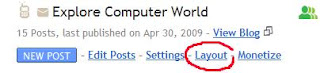
First, go to Layout.
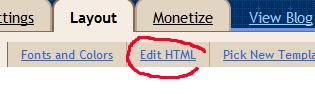
Then click "Edit HTML" in your Blogger dashboard.
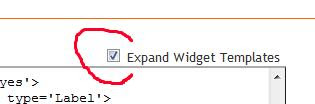
Do not check the "Expand widget templates" box as this would complicate the process!
Click Contol+F on your keyboard that would open search box and search for the code:
<b:section class='sidebar' id='sidebar' preferred='yes'>
Immediately after this line, paste the following section of code:
<b:widget id='Label99' locked='false' title='Labels' type='Label'>
<b:includable id='main'>
<b:if cond='data:title'>
<h2><data:title/></h2>
</b:if>
<div class='widget-content'>
<script src='http://halotemplates.s3.amazonaws.com/wp-cumulus-example/swfobject.js' type='text/javascript'/>
<div id='flashcontent'>Blogumulus by <a href='http://www.roytanck.com/'>Roy Tanck</a> and <a href='http://www.bloggerbuster.com'>Amanda Fazani</a></div>
<script type='text/javascript'>
var so = new SWFObject("http://halotemplates.s3.amazonaws.com/wp-cumulus-example/tagcloud.swf", "tagcloud", "240", "300", "7", "#ffffff");
// uncomment next line to enable transparency
//so.addParam("wmode", "transparent");
so.addVariable("tcolor", "0x333333");
so.addVariable("mode", "tags");
so.addVariable("distr", "true");
so.addVariable("tspeed", "100");
so.addVariable("tagcloud", "<tags><b:loop values='data:labels' var='label'><a expr:href='data:label.url' style='12'><data:label.name/></a></b:loop></tags>");
so.addParam("allowScriptAccess", "always");
so.write("flashcontent");
</script>
<b:include name='quickedit'/>
</div>
</b:includable>
</b:widget>
Then preview your template. If installed correctly, you should see the tag cloud appear in your sidebar. Now, you are free to save your template! It's that easy! Also, you can edit the colors and dimensions as required, or move it to a different location.